
Download xpression camera – Generative AI, Real-Time Face Transformation, Video Platform Integration
Overview
Designed for modern digital creators, xpression camera is a generative AI-powered mobile application that enables users to instantly transform their appearance into any character or concept featuring a face, using only a single photo. This tool is tailored for individuals seeking to enhance their virtual presence across video communication and content creation platforms. Whether participating in professional meetings, live-streaming on Twitch, or producing YouTube content, the app offers a dynamic way to express identity, mood, or creativity in real time.
The app addresses the growing demand for personalized and engaging digital avatars in remote work, entertainment, and social interaction. By leveraging AI to map facial expressions onto selected images, it bridges the gap between static visual concepts and dynamic human expression. Target users include streamers, educators, social media influencers, and casual users who value novelty and visual storytelling in their online interactions.
Developed by xpression, the app enters the productivity and creative utility space with a focus on real-time transformation. While specific developer background details were not provided, the app’s functionality suggests a strong emphasis on AI-driven image processing and cross-platform compatibility. Its integration with major video platforms positions it as a valuable tool within the evolving digital communication ecosystem, offering a unique blend of entertainment and utility.
Key Features & Functionality
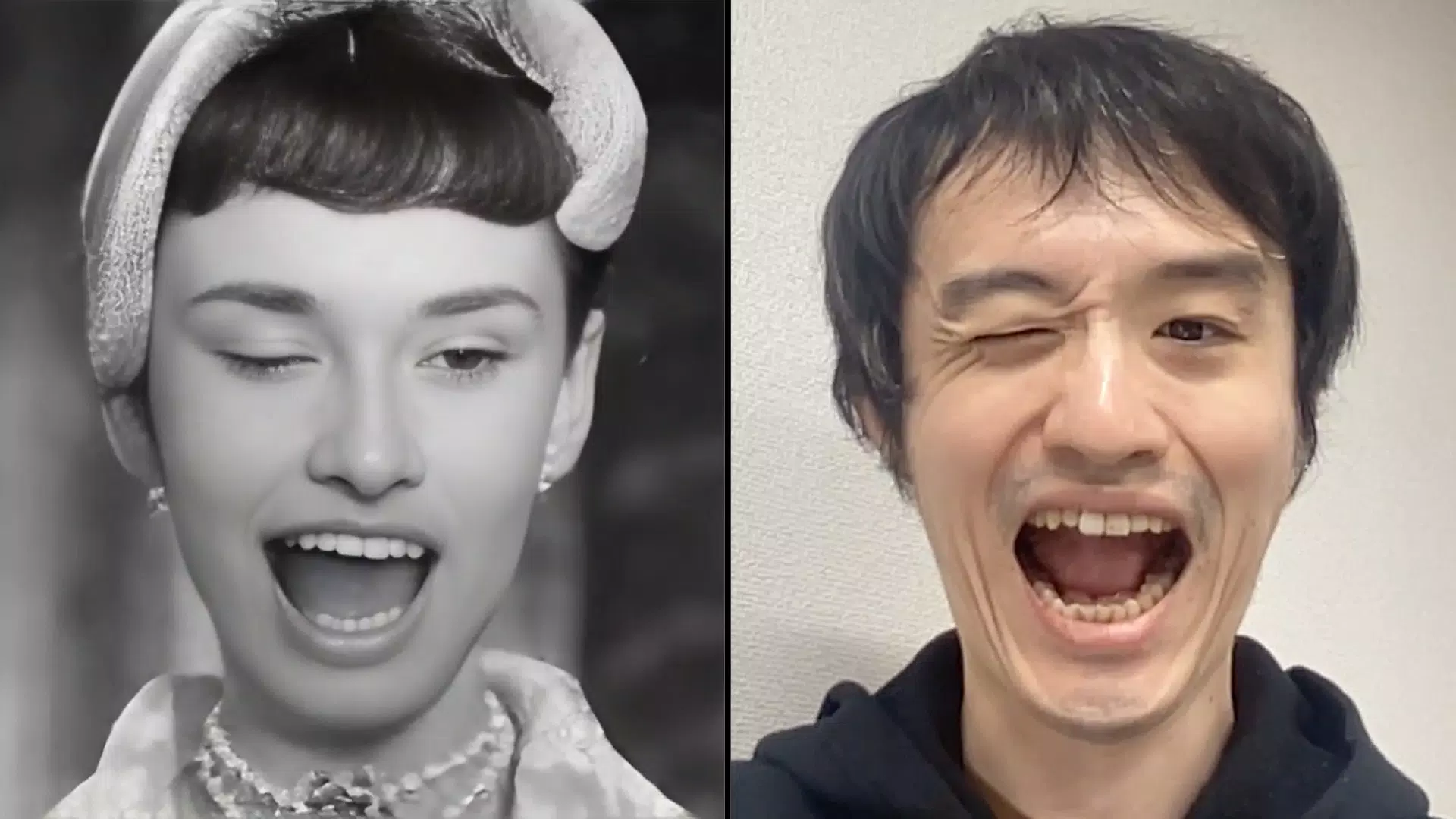
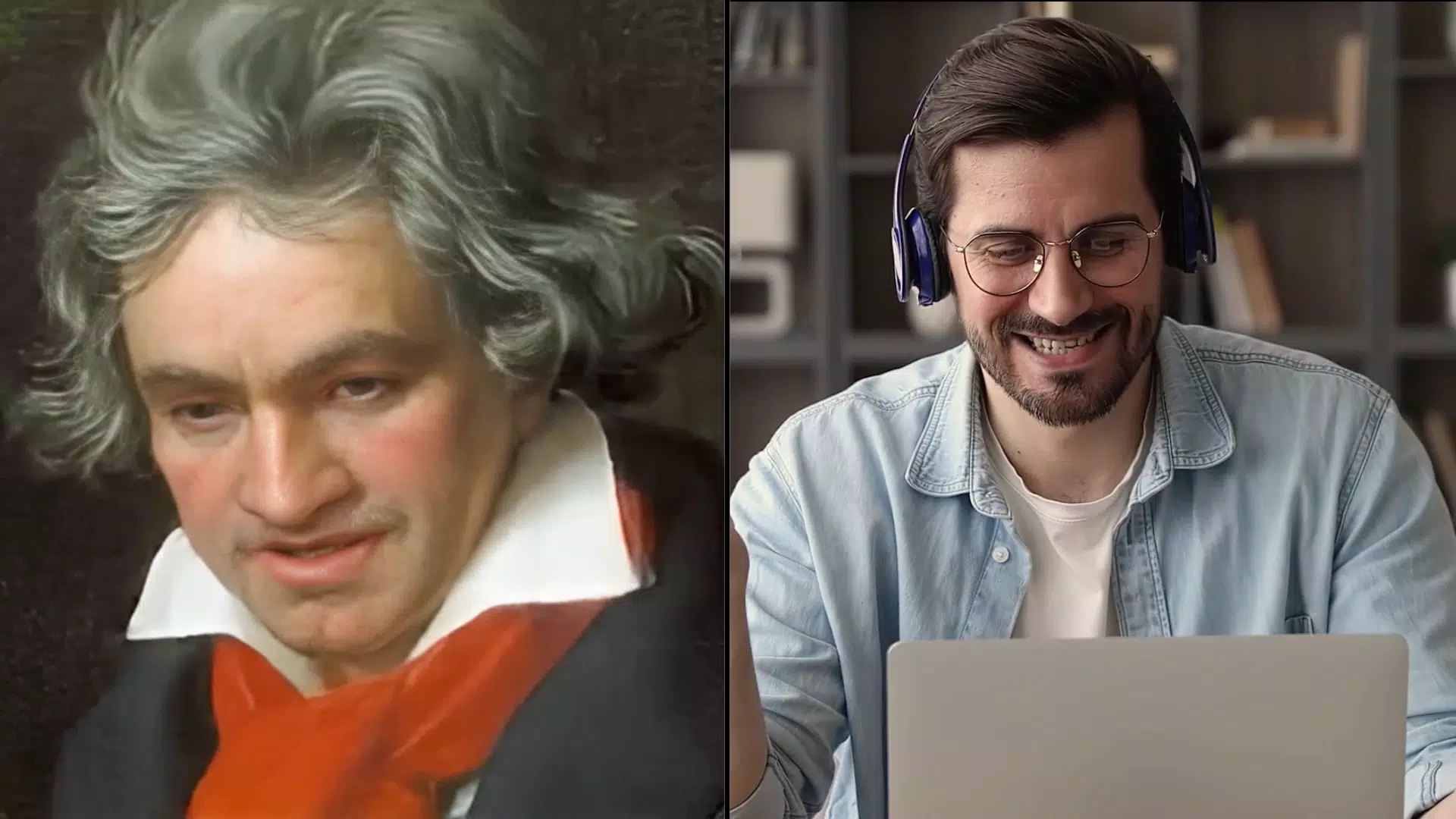
- Real-Time Face Transformation: Users can instantly morph their face into any image with a facial structure—whether a cartoon character, a famous movie persona, or a piece of artwork—using just one photo. This feature enables spontaneous creativity during video calls or live streams, allowing users to adapt their visual identity on the fly.
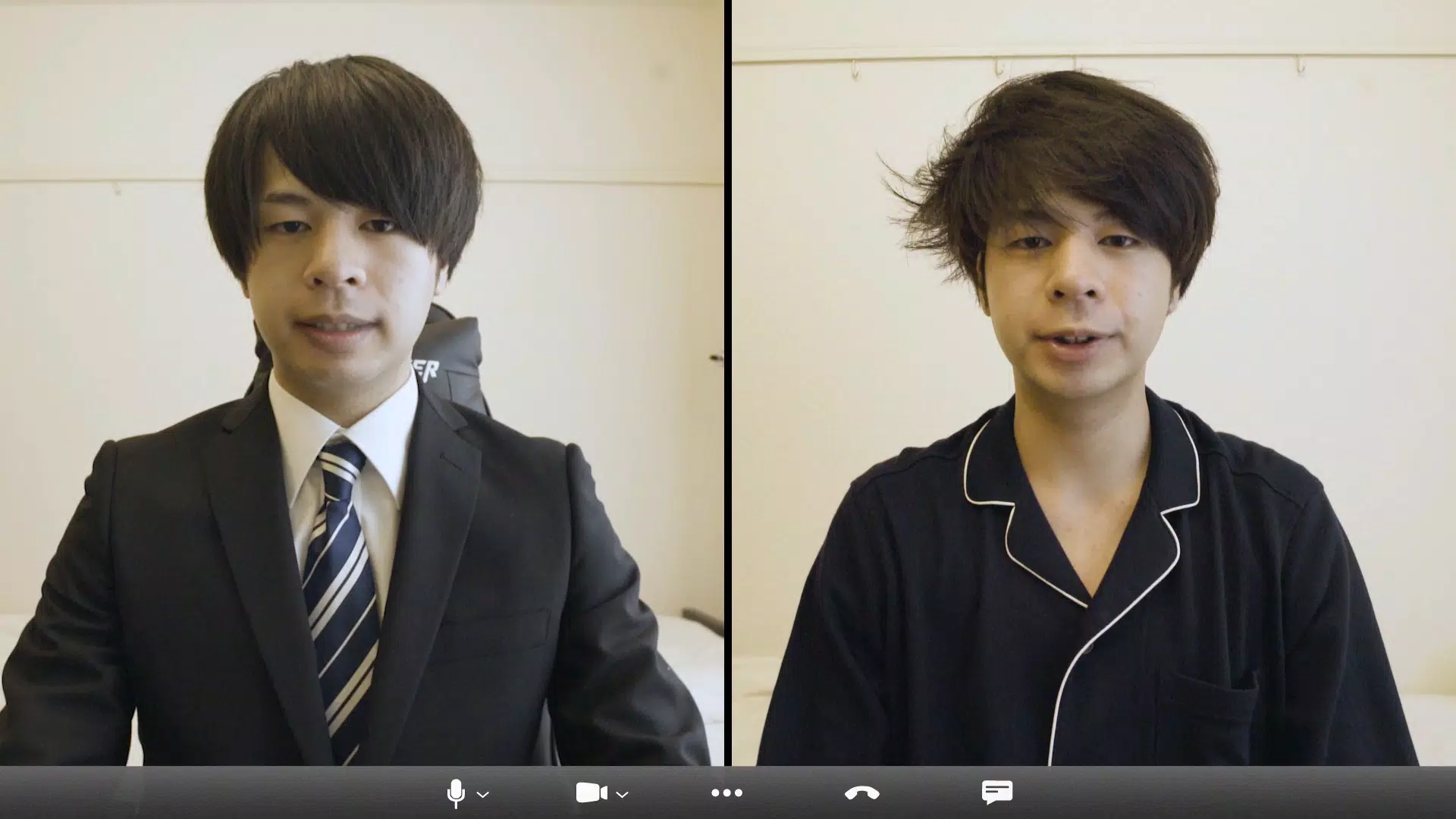
- Multi-Platform Compatibility: The app integrates with widely used video communication tools such as Zoom, Twitch, Microsoft Teams, Google Meet, and YouTube. This ensures seamless use across both personal and professional environments, making it ideal for users who frequently switch between platforms.
- Facial Expression Reflection: As users move their face, the app captures and mirrors expressions—including smiles, frowns, and raised eyebrows—onto the selected character image in real time. This creates a lifelike, interactive experience that enhances engagement during live sessions.
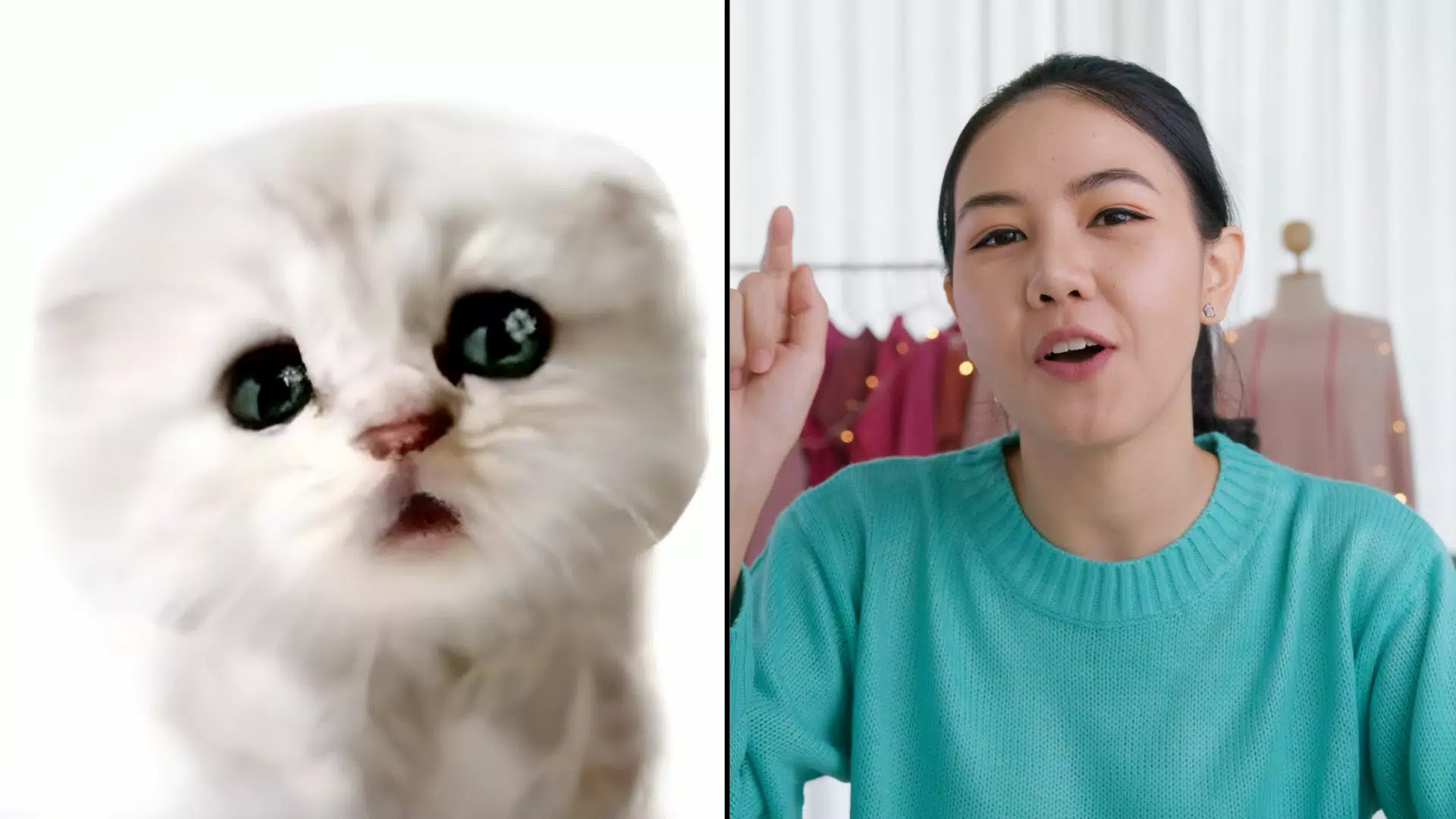
- Diverse Image Source Support: Users can import images from their device’s camera roll, social media, or the web. This flexibility allows for personalized customization, whether mimicking a pet, a historical figure, or a fictional character.
- Background and Appearance Customization: Beyond facial transformation, the app enables users to change both their virtual appearance and background. This feature supports thematic content creation, such as setting a fantasy scene for a stream or a professional backdrop for a business call.
For example, a content creator could use a favorite anime character’s face during a live gaming session while changing the background to a digital cityscape. A teacher might adopt a whimsical animal avatar to make a lesson more engaging for students. These use cases demonstrate how the app supports both entertainment and educational applications.
Interface, UX & Performance
The user interface of xpression camera is designed for intuitive operation, prioritizing accessibility across diverse user skill levels. The layout centers around a live preview window, with clearly labeled controls for selecting images, adjusting settings, and initiating transformations. Navigation is streamlined, allowing users to switch between features with minimal taps.
Visual style leans toward a clean, modern aesthetic with minimal distractions, focusing attention on the real-time transformation output. The app maintains responsive behavior during operation, with smooth transitions and consistent frame rates when used on compatible devices. Although the developer did not list formal performance metrics, the app’s functionality suggests optimized processing for real-time AI rendering.
Stability appears to be a core focus, as the app maintains consistent performance during extended use. The interface adapts well to various screen sizes, ensuring usability across smartphones and tablets. Users can expect reliable operation without frequent crashes or lag, particularly when using images with clear facial features. The developer did not specify minimum OS requirements or device compatibility details, but the app’s lightweight size of 44.8 MB indicates efficient resource usage.
Platform Compatibility & Technical Requirements
xpression camera is currently available exclusively on the Android platform. The app’s latest version is 1.0.0, with a file size of 44.8 MB. This compact size reflects efficient code optimization and minimal bloat, making it accessible even on devices with limited storage.
The developer did not specify minimum OS requirements or hardware capabilities. As such, compatibility with older Android versions or low-end devices cannot be confirmed. However, the app’s lightweight nature suggests it may function on a broad range of Android smartphones and tablets. Users are advised to check their device’s system settings for any potential restrictions or updates required for optimal performance.
Pros and Cons
Pros
- Real-time AI face transformation with expressive accuracy
- Seamless integration with major video platforms like Zoom, Twitch, and Google Meet
- Supports image import from camera roll, social media, and web sources
- Enables dynamic background and appearance changes for enhanced customization
- Lightweight size (44.8 MB) with no cost to download or use
Cons
- Platform availability limited to Android only
- Specific technical requirements or device compatibility details were not disclosed
- Real-world performance may vary based on device processing power and camera quality
- Advanced customization options were not detailed in the provided information
- May require a stable internet connection for image sourcing from external sources
FAQ
Is xpression camera free to download and use?
Yes, the app is currently available at no cost. There are no in-app purchases or subscription fees mentioned in the provided details.
Can I use xpression camera on iOS devices?
As of now, the app is only available on Android. No iOS version has been released or announced.
Does the app require an internet connection?
While the app functions locally for real-time transformation, certain features—such as importing images from the web or social media—may require an active internet connection.
How does the facial expression reflection work?
The app uses generative AI to map live facial movements from the user’s camera onto the selected image, reflecting expressions such as smiles, frowns, and eye movements in real time.
Is my personal data secure when using xpression camera?
The developer did not provide specific information on data privacy or storage practices. Users are advised to review the app’s privacy policy before granting permissions.
Final Thoughts
xpression camera stands out as a creative, accessible tool for users who want to elevate their digital presence with AI-driven visual transformation. Its ability to instantly turn a single photo into a dynamic, expressive avatar makes it a compelling choice for streamers, educators, and casual content creators. The app’s real-time performance, multi-platform compatibility, and free access enhance its appeal in the growing landscape of virtual expression tools.
While platform exclusivity to Android and limited technical details may restrict some users, the app’s lightweight design and intuitive interface ensure a smooth experience for most Android users. For those seeking a fun, engaging, and practical way to personalize their video interactions, xpression camera delivers strong value.
Download xpression camera now


